
The app your grounds crew will actually use
Tasks, checklists and a live view of the course, built for people working outdoors with working or white gloves on. Nothing goes out as “have a look at the 9th”.
- Check green is clear of players
- Set aerator depth to 75 mm
- Mark sprinkler heads
- Aerate in two passes, second at 45°
- Clear cores, top dress
- Photograph and close
Demonstration limited data view.
Every task carries the person, the equipment and the checklist
A task in GolfOS is not a line in a list. It has a named person, an assistant where one is needed, the machine or tool it needs, and a checklist of between one and eighteen steps. Tasks that used to bundle two people or two machines are split into separate tasks, so it is always clear who is doing what and whether it is done.
That sounds like a small thing. It is the difference between a greenkeeper who knows the 9th was aerated at 75 mm in two passes, and one who knows somebody said they did the 9th.
- One person, one machine, one task. Split, never bundled
- Checklists of one to eighteen steps: pending, in progress, done
- Photos and notes attached to the task, not sent on a group chat
- A whole season of tasks can be loaded in advance
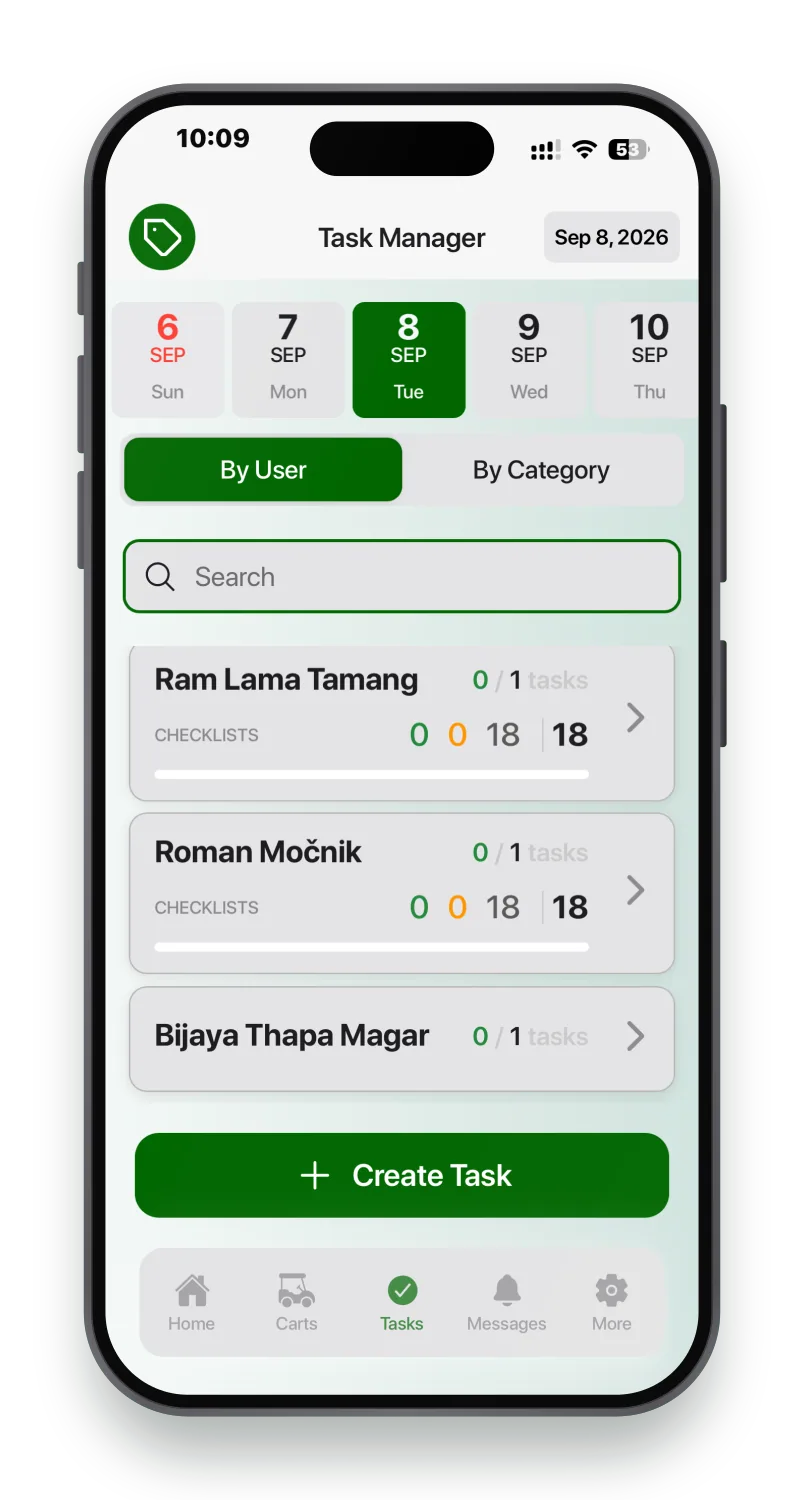
Actual data.
What the crew sees, and what the manager sees
The crew
- ·Their own task list for the day, in order
- ·Live cart and player positions, so they know where not to be
- ·Pace zones, and requests from players on the course
- ·Incidents, inventory counts, equipment
- ·VIP arrivals before the car door opens
The manager
- ·Who is where, what is done, what is late
- ·Crew and Manager roles, with different rights
- ·A team board across the whole crew
- ·Task templates, so next season loads from this one
- ·The AI layer suggesting when a crew slot opens up
The day, on a television in the crew room
Tasks and checklists can run on a screen in the facility, so the team sees the whole day without anyone opening anything. At Arboretum that is how the morning starts.
Task setup is deliberately simple enough to hand over. Once a season is loaded, the course’s own greenkeeper creates and edits the tasks. We would rather you did not need us for that.
Demonstration data.
What a groundsman sees on a Tuesday
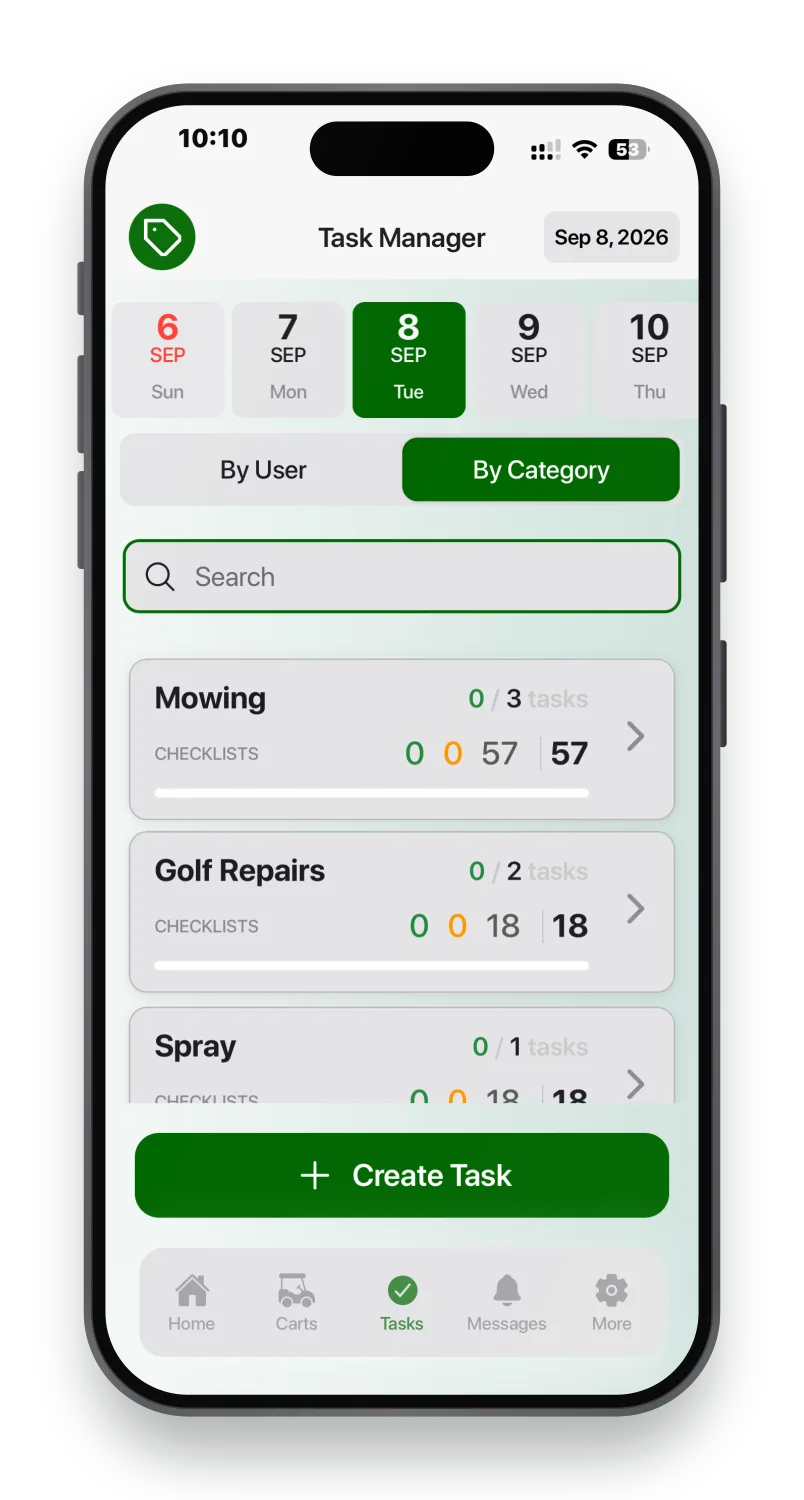
View by category, live
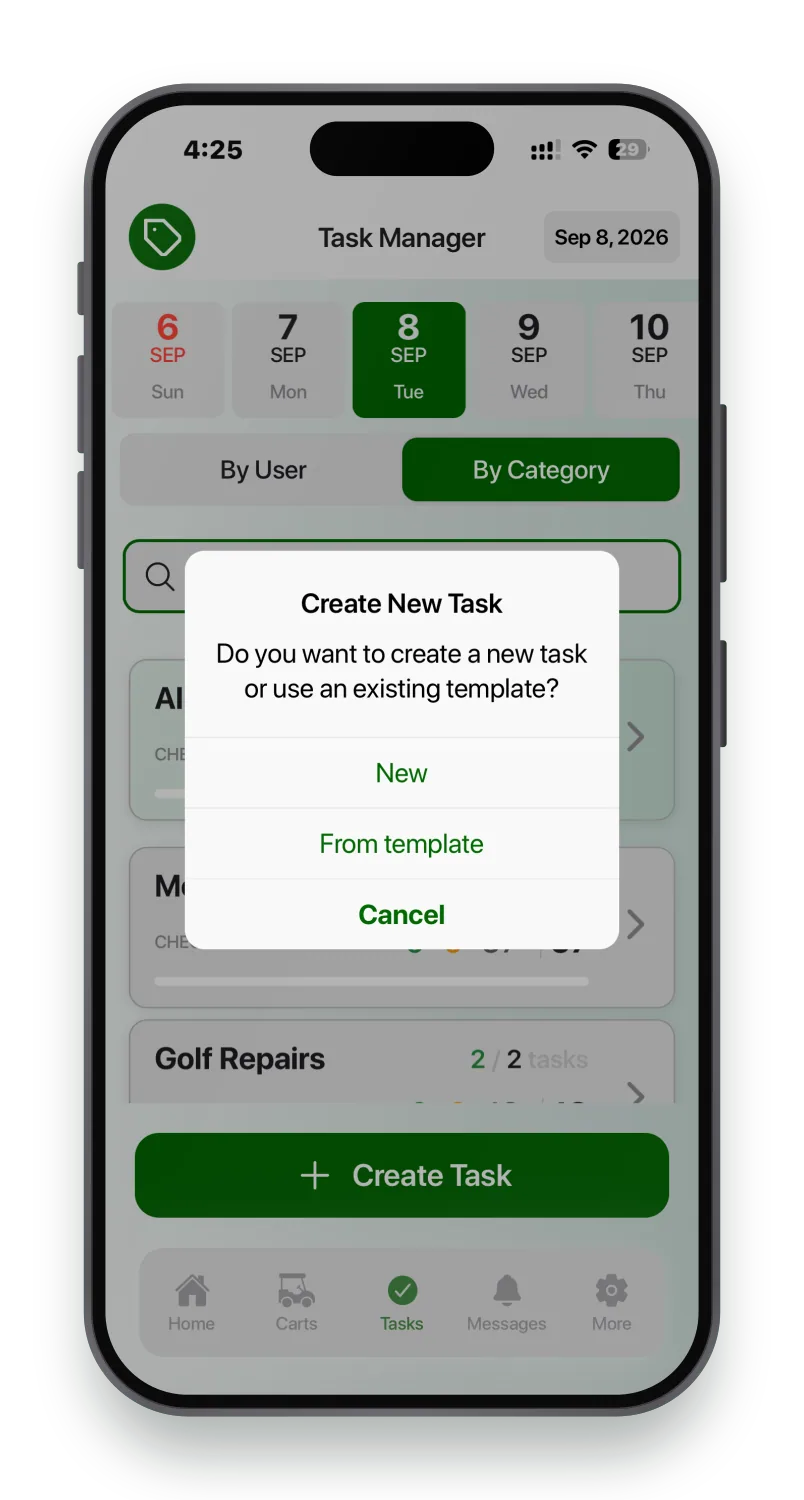
Create task from presets
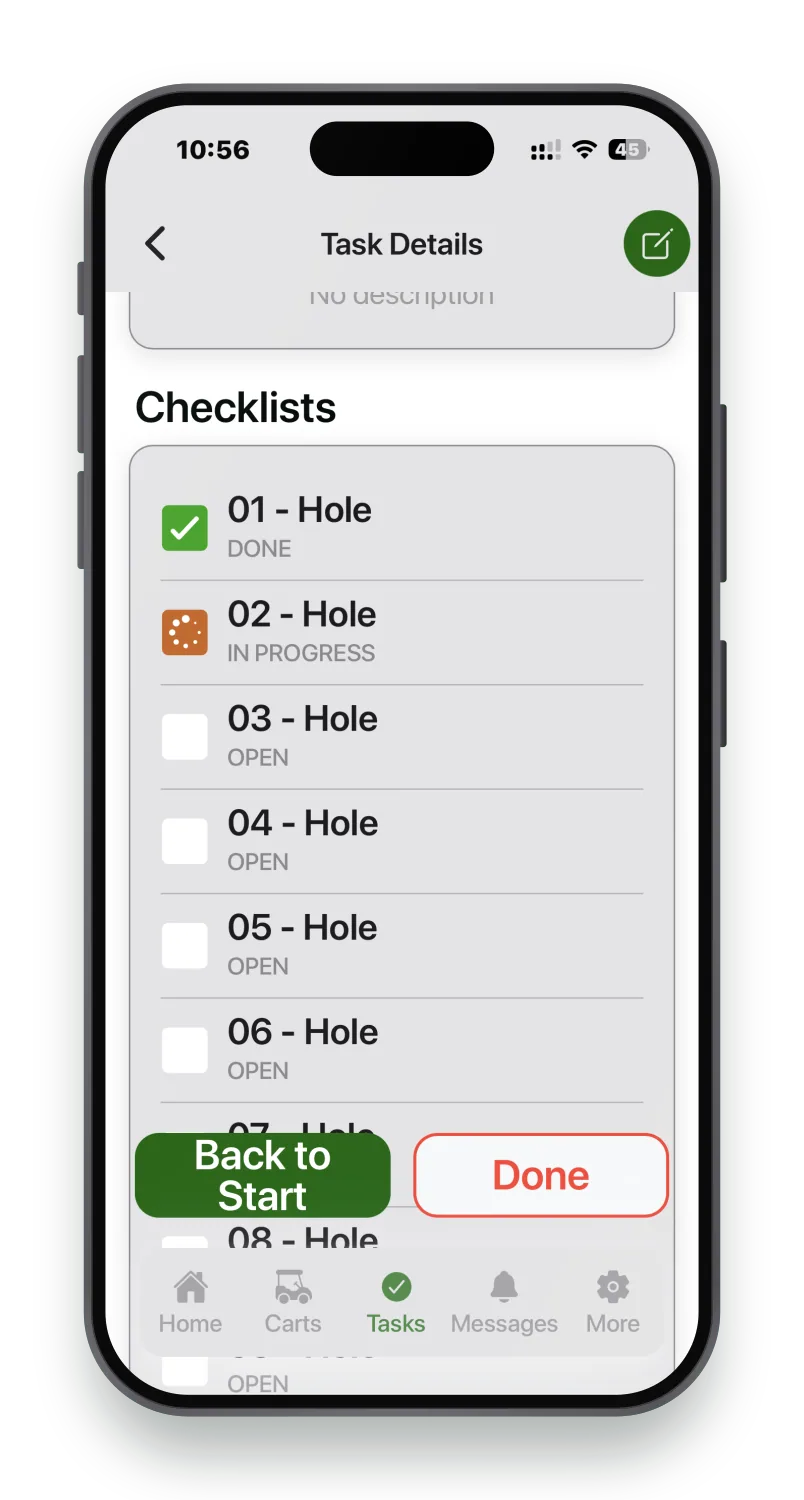
1st level progress, at a glance
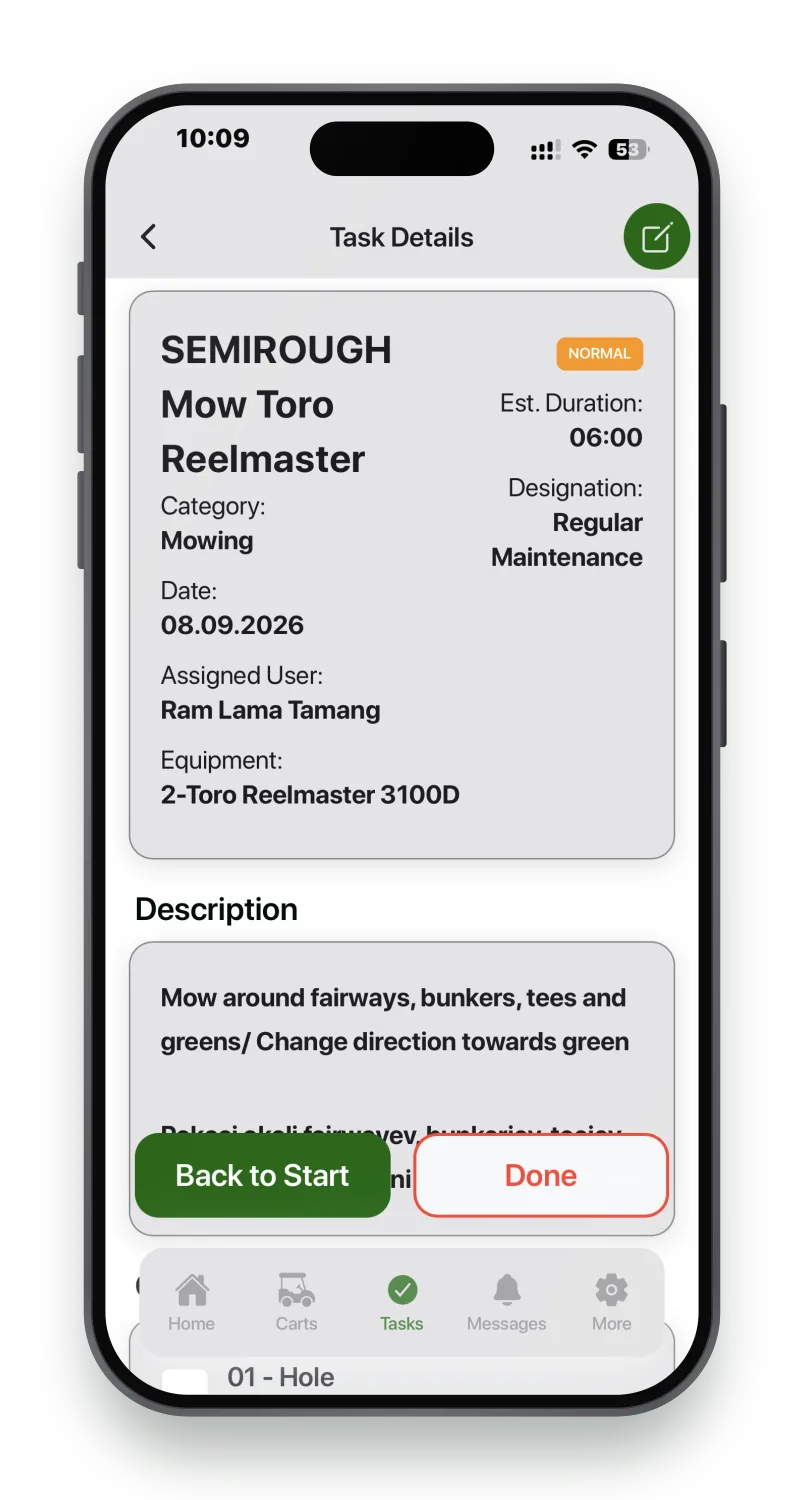
2nd layer, detailed view
At the office or in a pocket
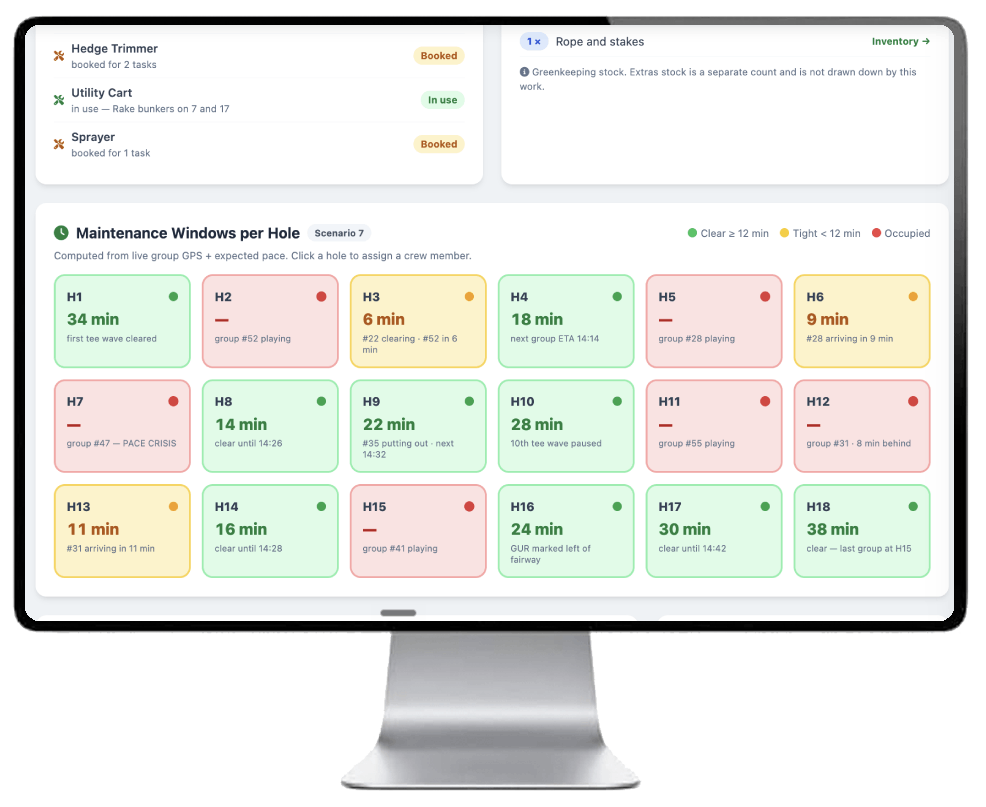
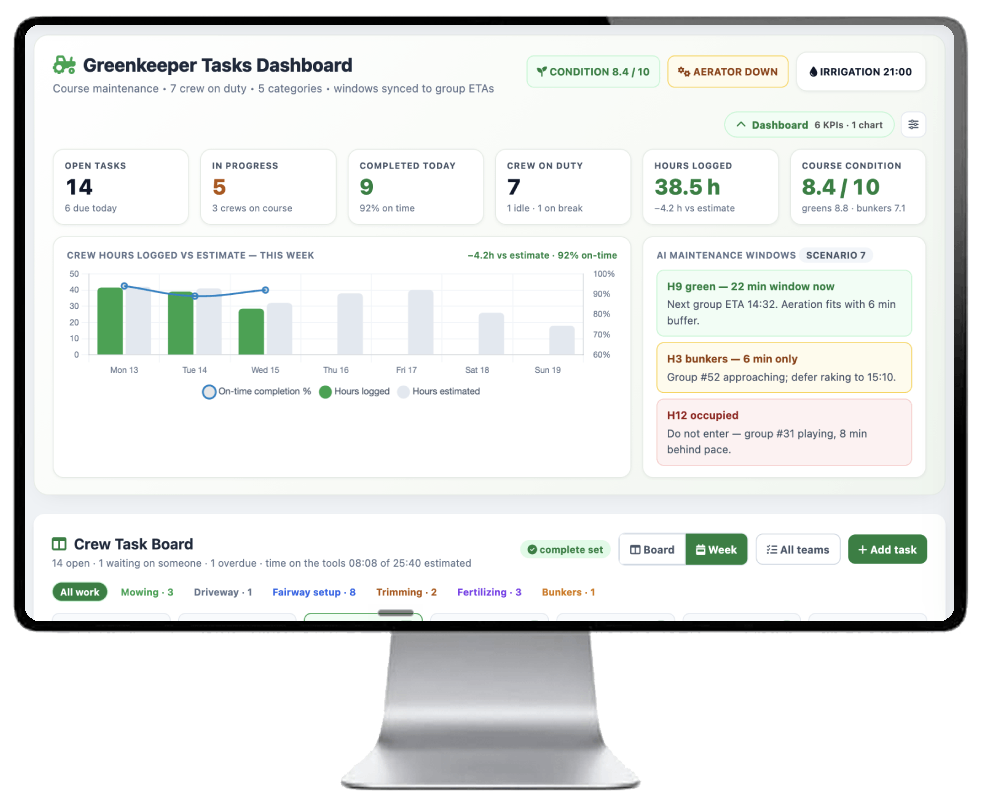
Actual screenshots.
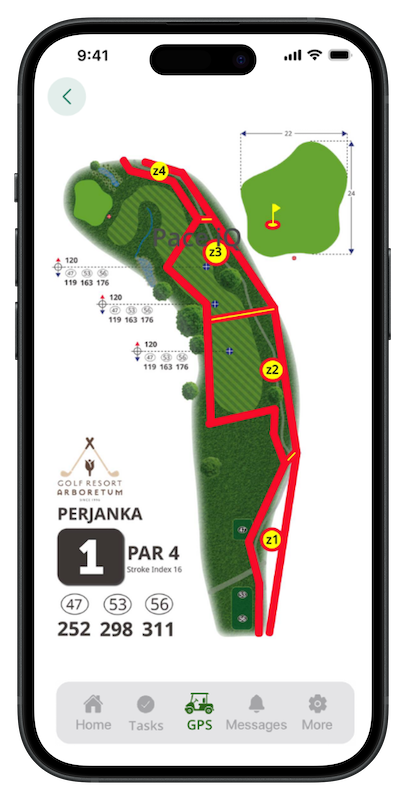
Geo fencing and zonning
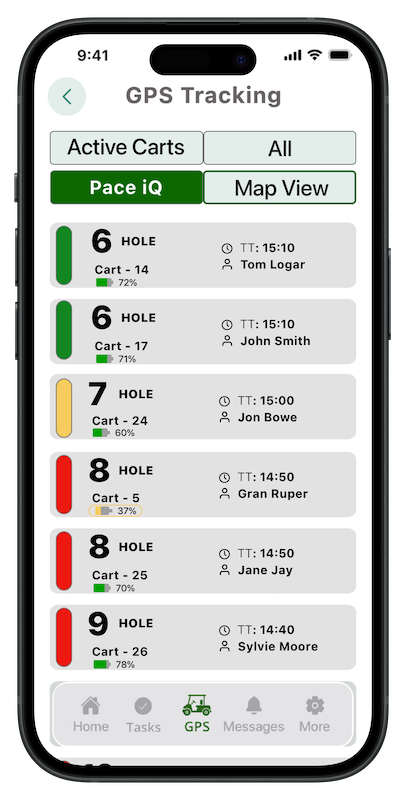
AI pace management
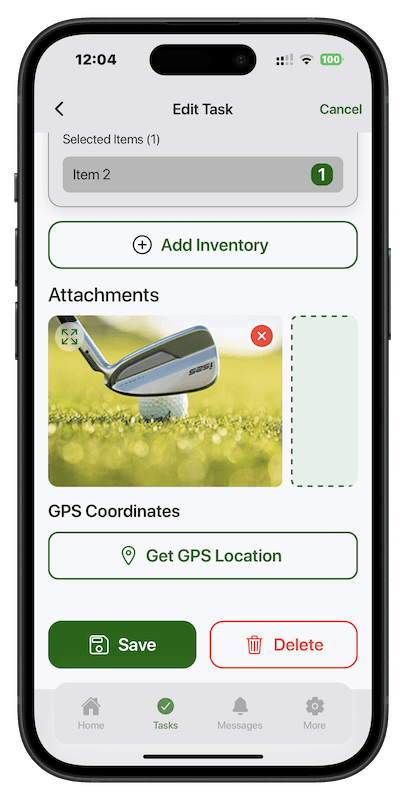
Adding images and geo locations
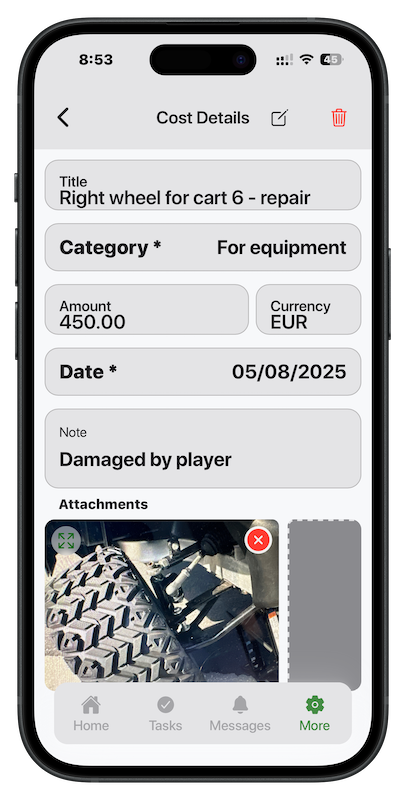
Recording bills on-the-go
Start with the crew, if that is what hurts
Begin here and leave the booking system exactly where it is. We will show you what a first season looks like.